For Android · English as a second language
Fix English before you send.
Select what you wrote in LinkedIn, WhatsApp, X, or Gmail. Tap Fix. See exactly what changed. Tap Replace. You never leave the app.
10 free fixes a day · No account needed · Reads a field only when you tap Fix
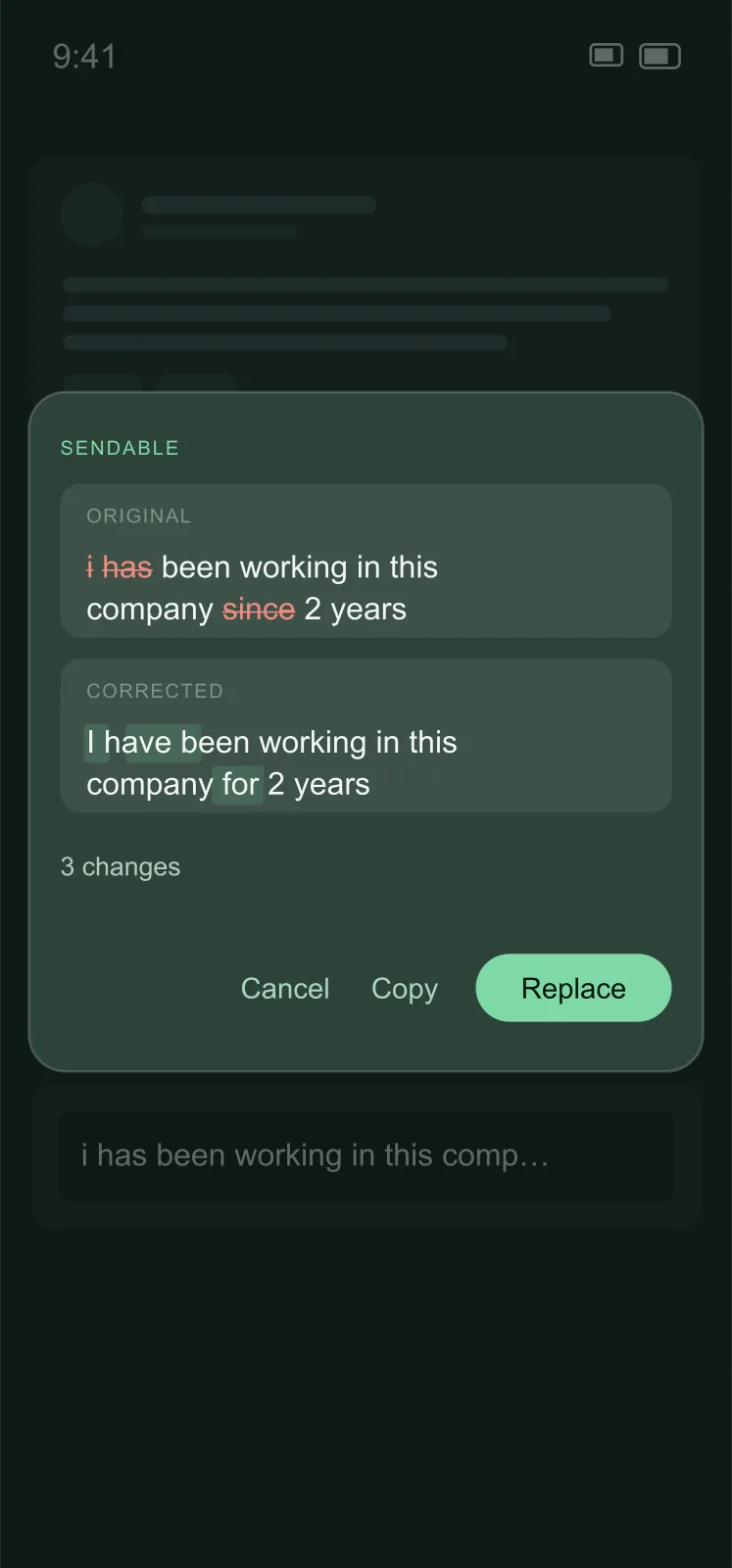
i has been working in this company since 2 years
I have been working in this company for 2 years
You already know what you meant. Your comment doesn't.
The round trip
Copy your text to a chat app, fix it, copy it back, paste it. Every single time.
Keyboard proofreaders miss the real errors
Typos, yes. Articles, tenses, and prepositions — the ones that mark you as non-native — no.
Rewriters change what you said
You wanted it corrected, not replaced with something that doesn't sound like you.
Three places to find Fix.
Use whichever the app you're in allows.
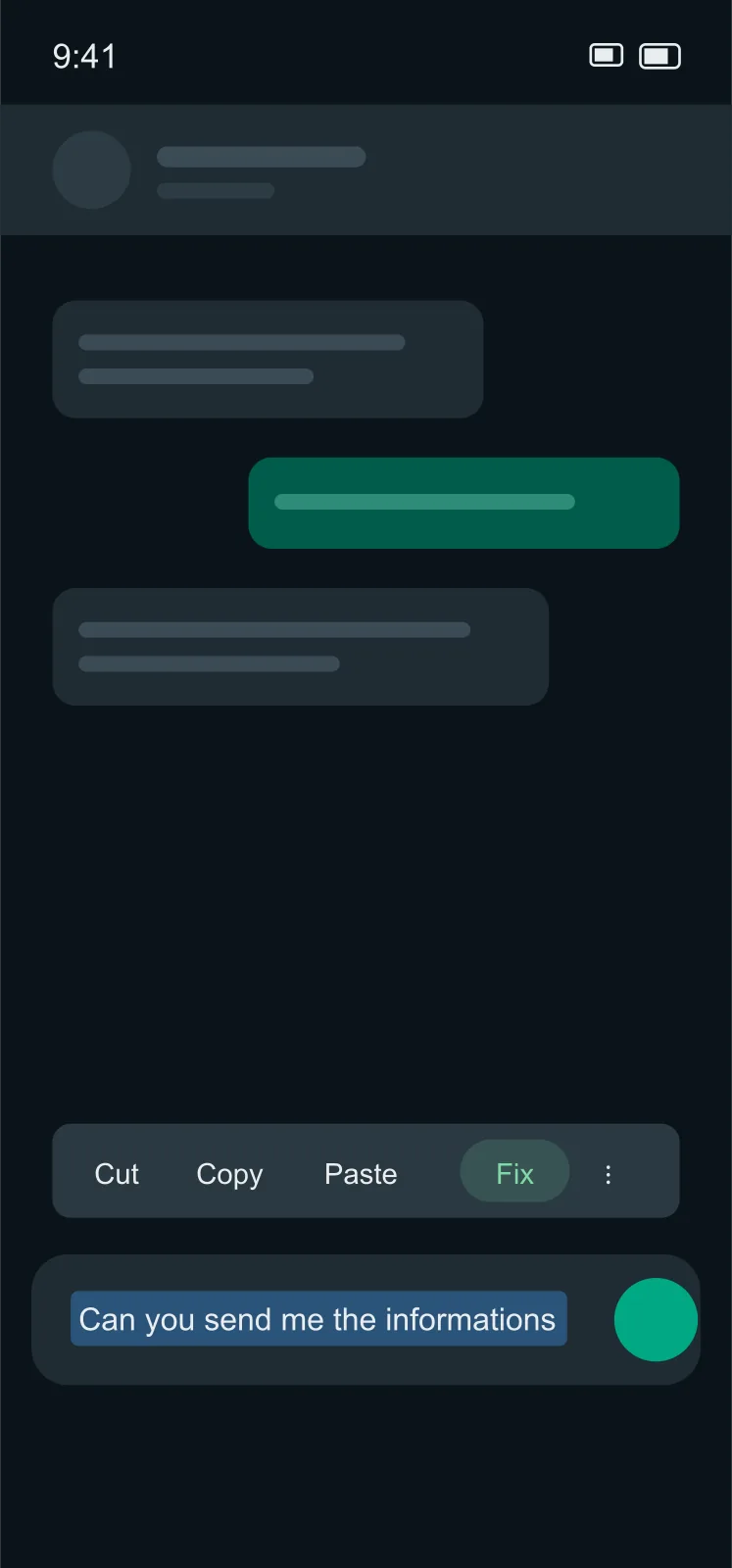
1. Selection menu
Long-press, select, tap Fix.
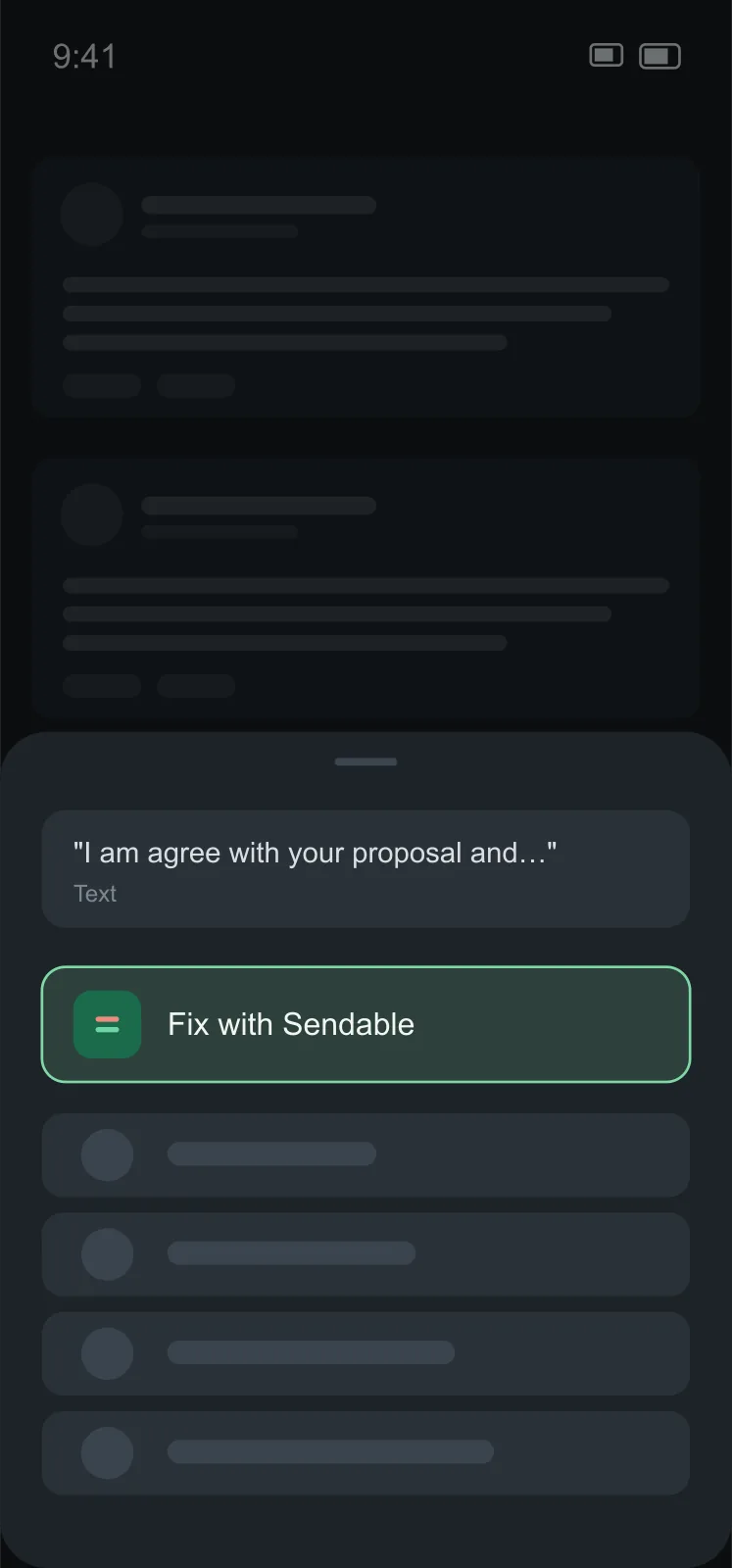
2. Share sheet
Where the menu is missing, Share → Fix with Sendable.
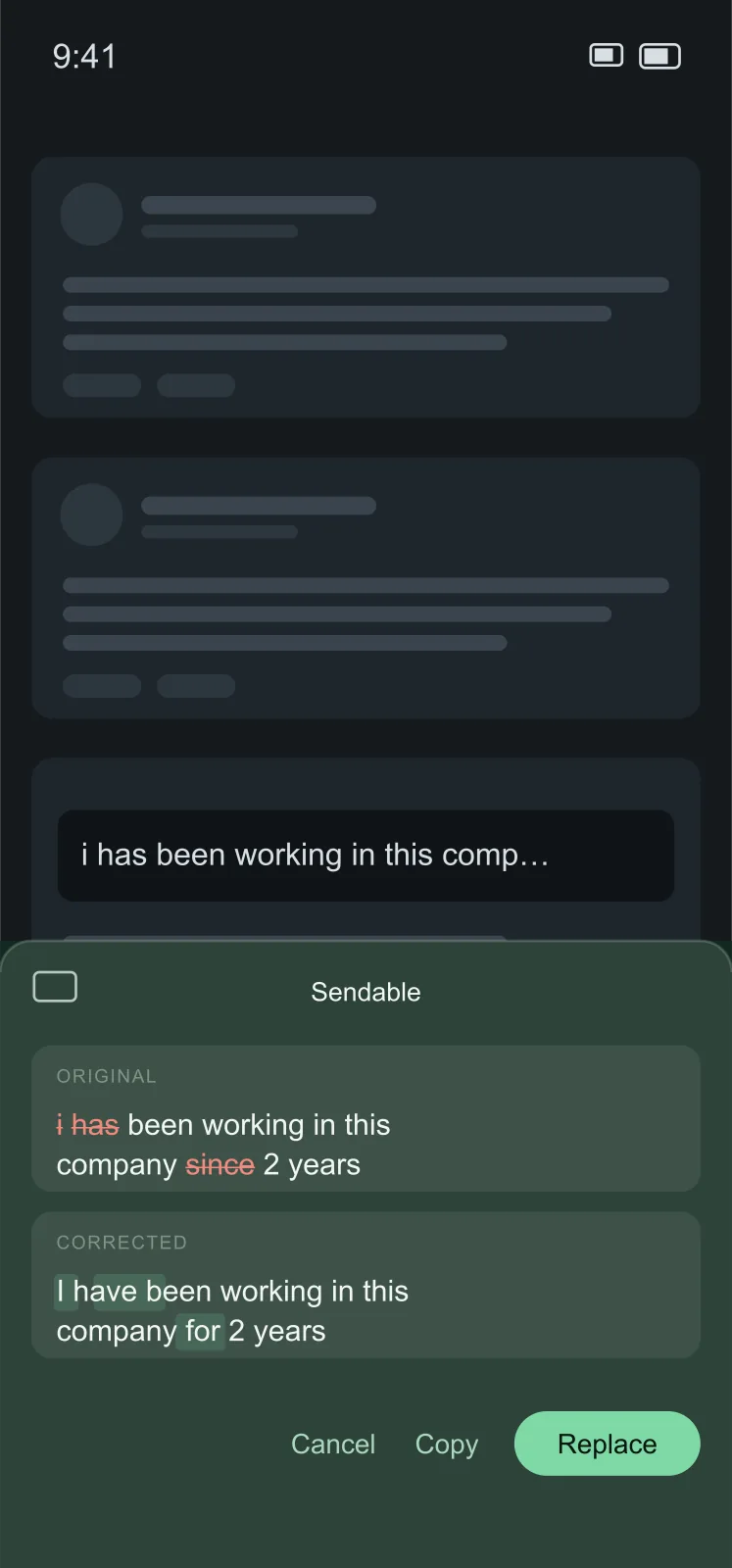
3. Fix bar
Where both are hidden — LinkedIn comments, X — switch keyboard to Sendable, tap Fix. Your keyboard comes back by itself.
- Select
- Fix
- Review the diff
- Replace
See every change before anything is replaced.
Sendable fixes grammar, spelling, articles, tenses, and prepositions. It keeps your words, your tone, and your length. If your text is already correct, it says so and changes nothing.
- Untouched
Names, links, @mentions, #hashtags, and emoji stay untouched
- No translating
Your language stays your language — no translating
- Diff first
Shows the diff first, so you learn what you keep getting wrong
i has been working in this company since 2 years
I have been working in this company for 2 years
Reads a field only when you tap Fix.
Nothing runs in the background. No keyboard logging, no screen reading.
Your text is sent to Sendable's server and forwarded to Google's Gemini API for the correction. It is not stored and not used to train models.
The free tier needs no account. Paid plans use a Google or email sign-in so they follow you across phones.
No ads. No analytics inside the app.
Start free. Upgrade when you write a lot.
Free
10 fixes a day, 20 with a free account
- Up to 500 characters per fix, 1,000 with an account
- All three ways to Fix
- The diff view
- No account needed

Standard
100 fixes a day
- Up to 4,000 characters per fix
- Everything in Free
- Follows you across phones
- Cancel any time in Google Play
Unlimited (fair use)
Unlimited fixes*
- Up to 8,000 characters per fix
- Everything in Standard
- For people who write all day
- Cancel any time in Google Play
Prices in USD. Local prices are shown in Google Play. Billed through Google Play; renews automatically until cancelled, and you can cancel any time in Google Play → Subscriptions.
Why not the keyboard you already have?
| Feature | Sendable | Keyboard proofreaders | Rewriter apps |
|---|---|---|---|
| Fixes articles, tenses, prepositions | Yes | partial | Yes |
| Keeps your wording and tone | Yes | Yes | No |
| Works without switching keyboards | Yes | Yes | No |
| Works in LinkedIn comments and X | YesFix bar | varies | varies |
| Shows the exact change before replacing | Yes | No | No |
| Free tier without an account | Yes | Yes | No |
Fixes articles, tenses, prepositions
- Sendable
- Yes
- Keyboard proofreaders
- partial
- Rewriter apps
- Yes
Keeps your wording and tone
- Sendable
- Yes
- Keyboard proofreaders
- Yes
- Rewriter apps
- No
Works without switching keyboards
- Sendable
- Yes
- Keyboard proofreaders
- Yes
- Rewriter apps
- No
Works in LinkedIn comments and X
- Sendable
- YesFix bar
- Keyboard proofreaders
- varies
- Rewriter apps
- varies
Shows the exact change before replacing
- Sendable
- Yes
- Keyboard proofreaders
- No
- Rewriter apps
- No
Free tier without an account
- Sendable
- Yes
- Keyboard proofreaders
- Yes
- Rewriter apps
- No
Questions people ask before they install.
Which apps does it work in?
All of them. Most apps show Fix in the text-selection menu; the rest get it through the share sheet. LinkedIn comments and X hide both, so there you switch to the Fix bar for one tap.
Why does Android warn me when I enable the Fix bar?
Android shows that warning for every keyboard you enable, whoever makes it. The Fix bar has no keys and cannot see what you type. It reads the field you are in only when you tap Fix.
Does it rewrite my text?
No. It fixes grammar, spelling, articles, tenses, and prepositions, and keeps your words, tone, and length. If your text is already correct, it comes back unchanged and the app tells you so.
Which languages?
It corrects the language you wrote in and never translates. English is the focus and what the app is tuned for.
Is it available on iPhone?
No. iOS has no way for one app to replace text inside another, which is the whole point of Sendable. It is Android only.
What happens at the daily limit?
Fix pauses until the counter resets at midnight UTC. Free is 10 fixes a day, or 20 with a free account. If you need more, you can upgrade from inside the app.
Is there a limit on how long a text can be?
Yes, per fix. Free fixes take up to 500 characters (1,000 with a free account), Standard up to 4,000, and Unlimited up to 8,000. The app tells you the length and the limit, and you can select a shorter part.
Can I cancel?
Any time, from Google Play subscriptions. Your plan keeps working until the end of the period you already paid for.
What do you store?
For paid plans, an account ID and email so the plan follows you across phones, a daily count of fixes and characters, and the Google Play purchase record that grants the plan. Never your text.
Fix English before you send.
Android 8.0 and up · 3 MB